

🥁 Zenflow
Works for models based on SDXL, uncluding Pony & Illustrious
v5.0 introduce a huge (really huge, like a dinosaur) improvement to upscaled images
Advanced saving options
Civit will now recognize the model & lora(s) you used
🟡 File needed for upscaling
Put it in your ComfyUI\models\upscale_models folder
You're done 🎉
🟡 The refiner
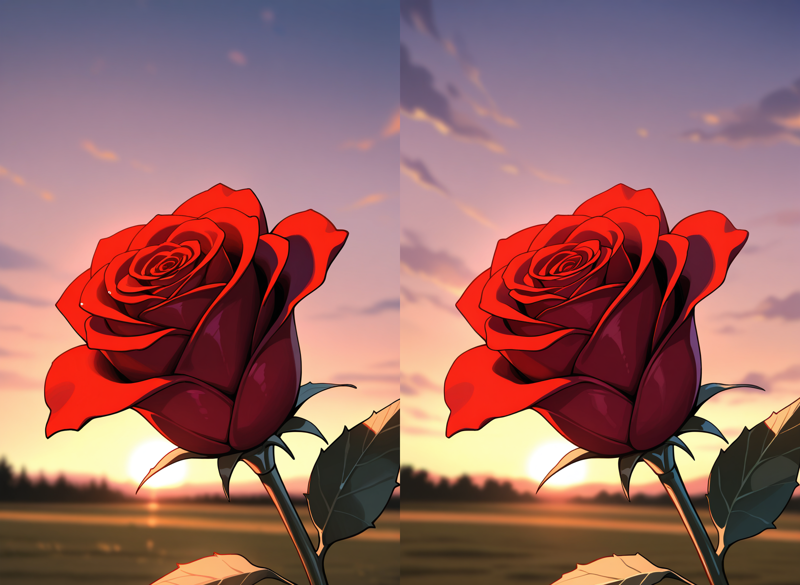
A refiner can help you adjust specific details of your output while preserving the overall composition. In this simple example, I added more clouds in the sky
I used the same model for both the base and the refiner. However, you can use two different models to mix their style etc
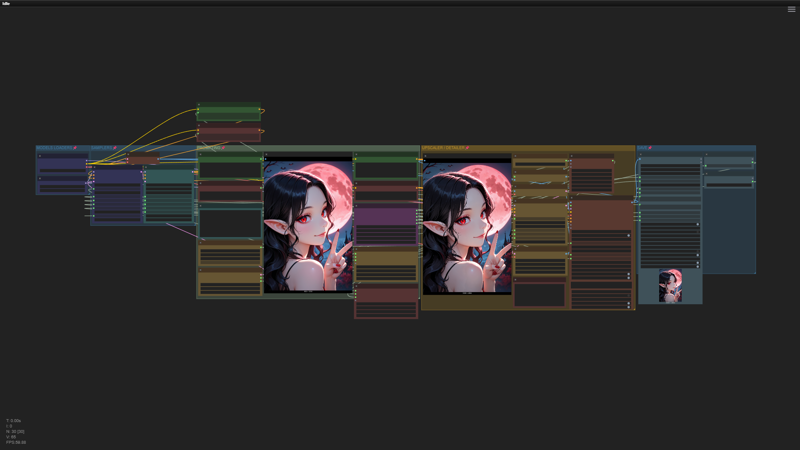
🟡 Workflow overview (v5)
The prompting area (green) is designed to fit on your screen, so you can focus on what really matters without having to move your view every 30sec
Description
Added SEGS based details improver after upscaling
Merged Sampler configuration nodes into one
Added advanced saving option (Civit will now recognize which model you used)
FAQ
Comments (7)
Prompt outputs failed validation: CheckpointLoaderSimple: - Value not in list: ckpt_name: 'Zenmix_XL_v1-0.safetensors' not in (list of length 21) VAEEncode: - Required input is missing: pixels
For VAE Encode it's normal when upscaling is disabled, for the checkpoint make sure you selected one of your in the "Load checkpoint" node
Hi, I have used several and found yours to be the most concise and useful.
Thank you! I will release a complete new version soon which add more advanced functionalities / controls over the generation & upscaling process
There is no ".engine file ". Could you please share it
Use the Lora version, the TRT version needs you to convert your models into a .engine file: GitHub - comfyanonymous/ComfyUI_TensorRT
The best workflow I've tested: incredible quality, ultra-simple installation and use, thank you!