


(The embeddings are prepared in 2 different formats, "SafeTensor" and "PickeTensor". The results are almost the same so please choose whichever is convenient for you.)
I learned an easy way to create fictional character embeddings, just by prompts and without any images from the following articles.
"Train OCs without Images | Automatic1111" by Mr. Monster
"5-second embeddings and how to make them" by tvange365
I would like to share some of my results here.
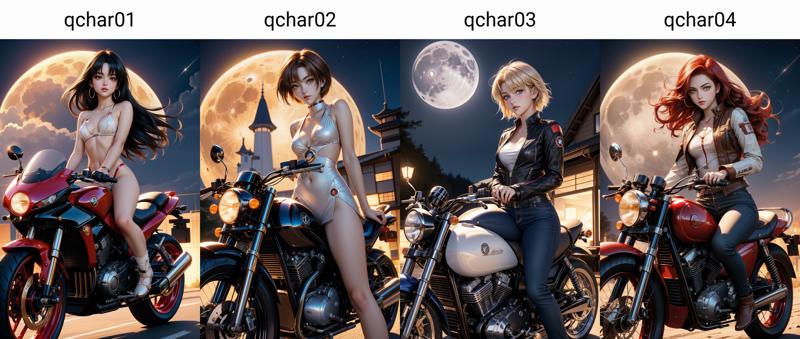 qchar01: Asian, long black hair
qchar02: Asian, short brown hair
qchar03: Western, short blonde hair
qchar04: Western, long wavy red hair
Since the effect of the embeddings depend strongly on the checkpoint used, I tested with 5 different models from anime type to realistic type.
Most of the images re generated by random prompts, using the "OneButtonPrompt" extension.
Description
Asian, long black hair
FAQ
Comments (5)
i'd putted this model in "embbeding" folder, webui can't load it. put it in "lora", can load it but never have a effect. could u tell me how can i fix it, pls
Thanks for trying.
For WebUI A1111, it should work in the following way:
1. Put the model in the "embedding" folder
2. Select a SD1.5 model as the checkpoint
3. Open the "Textual Inversion" tab and reload embeddings with the "Refresh page" icon in the right edge
I hope it will work for you.
@evtqtyn912 i used the webui can't load the embedding with ".safetensors" extension
@_LJ_ I prepared a PickleTensor version for each embedding. Please take a try.
@evtqtyn912 thanks a lot!
Details
Files
Available On (1 platform)
Same model published on other platforms. May have additional downloads or version variants.