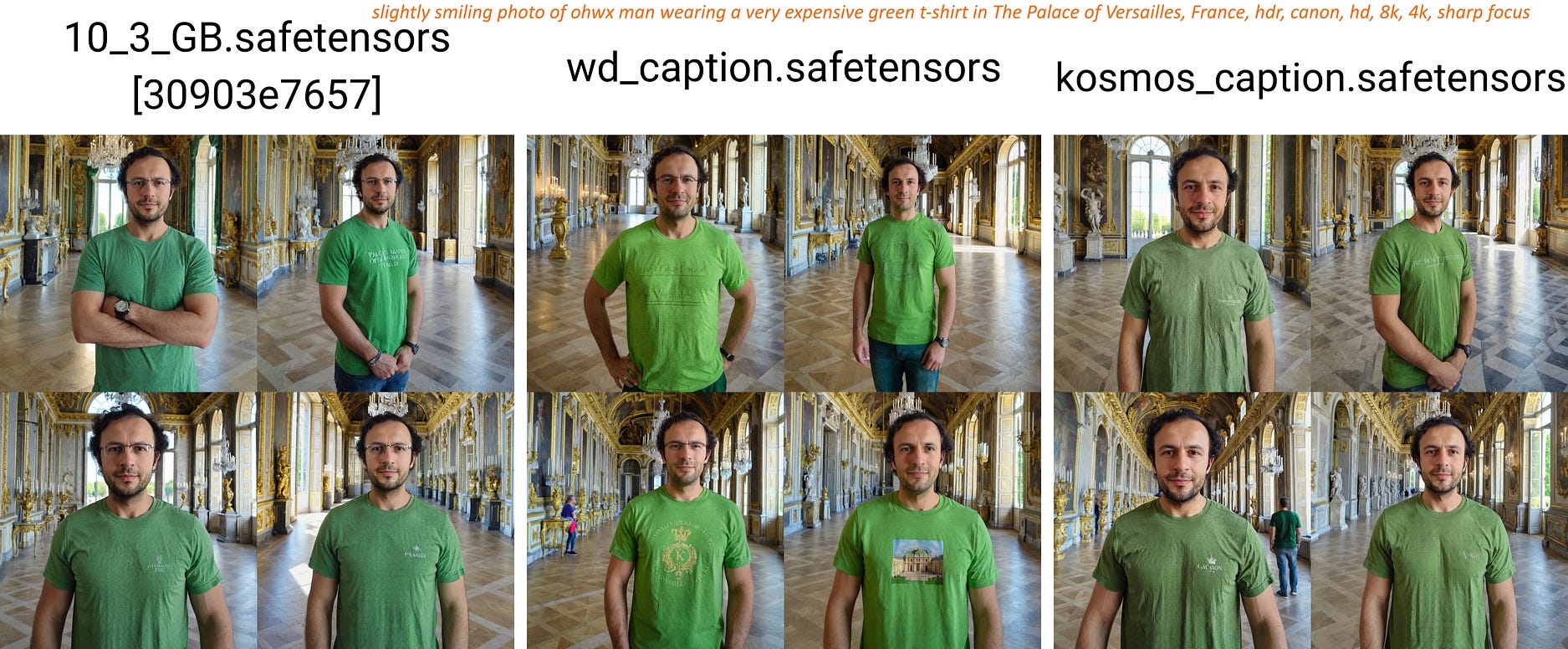
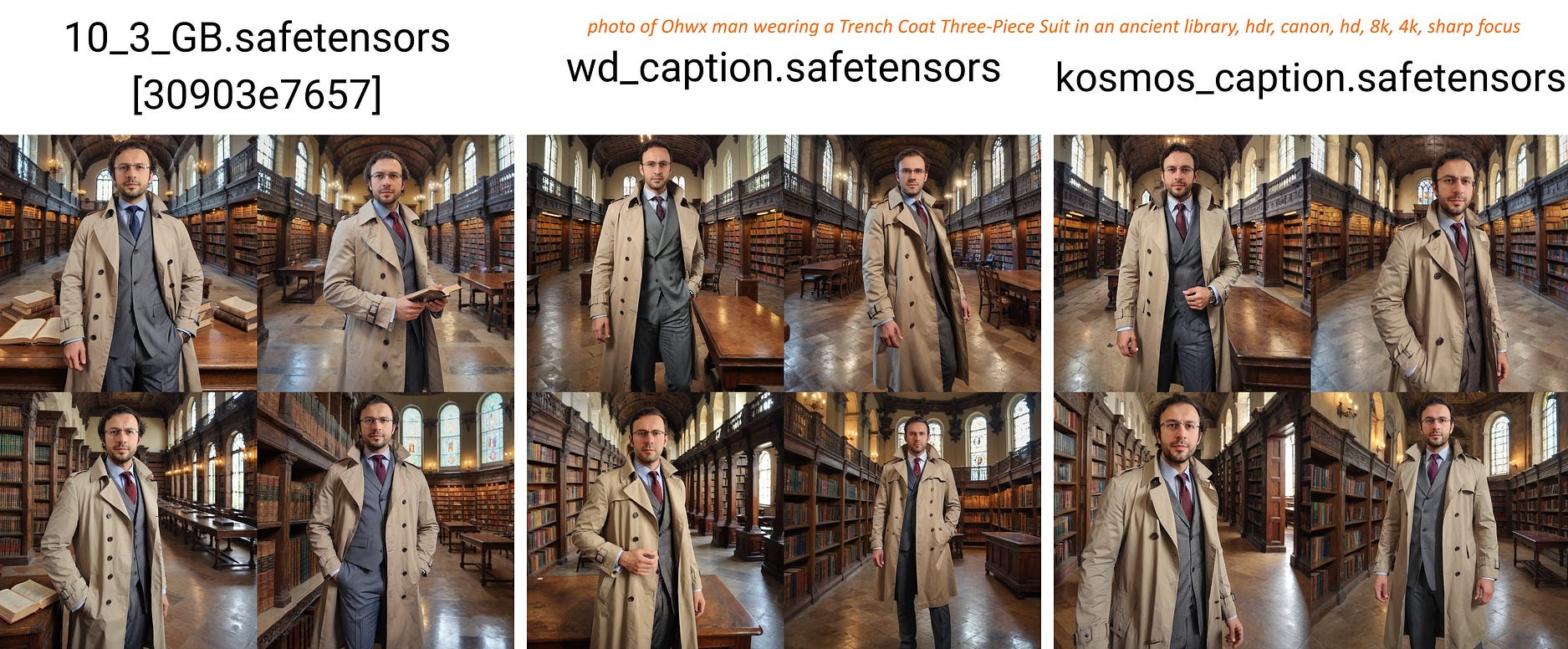
Compared Effect Of Image Captioning For SDXL Fine-tuning / DreamBooth Training for a Single Person

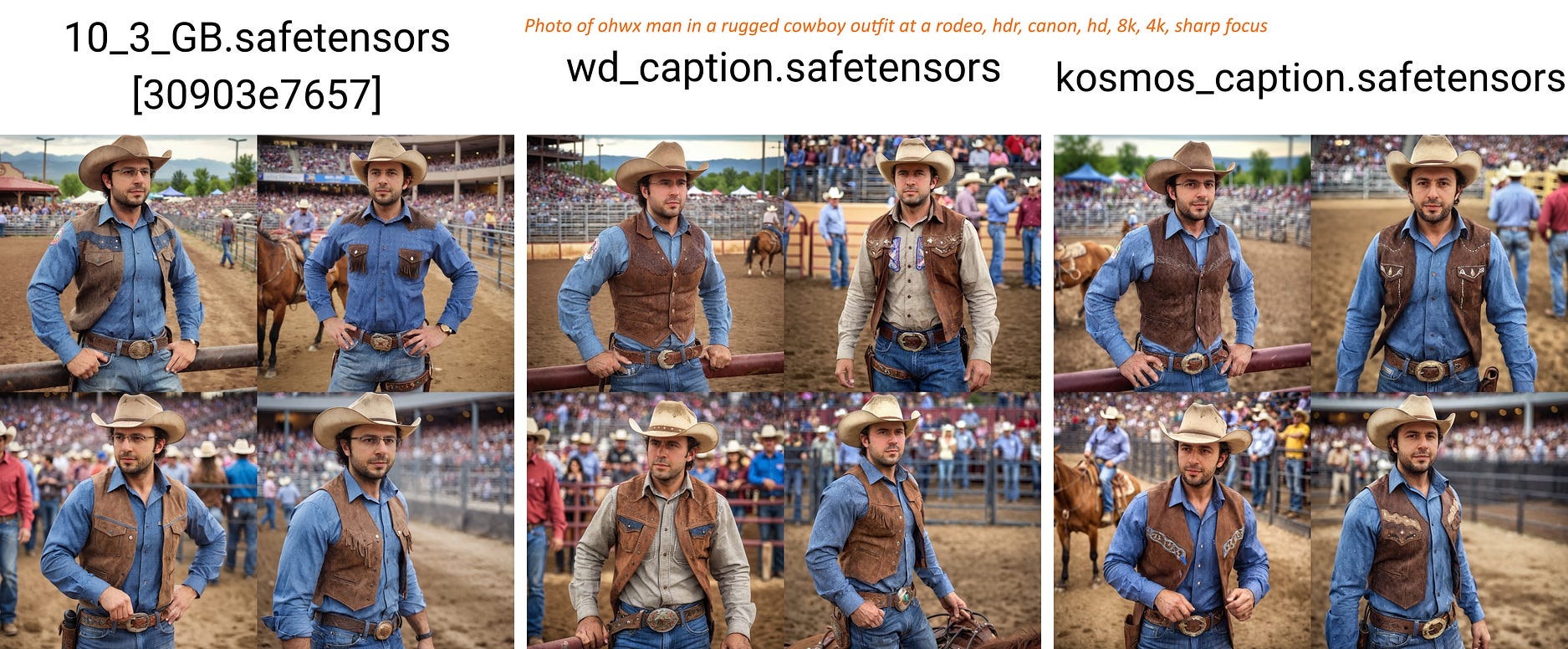
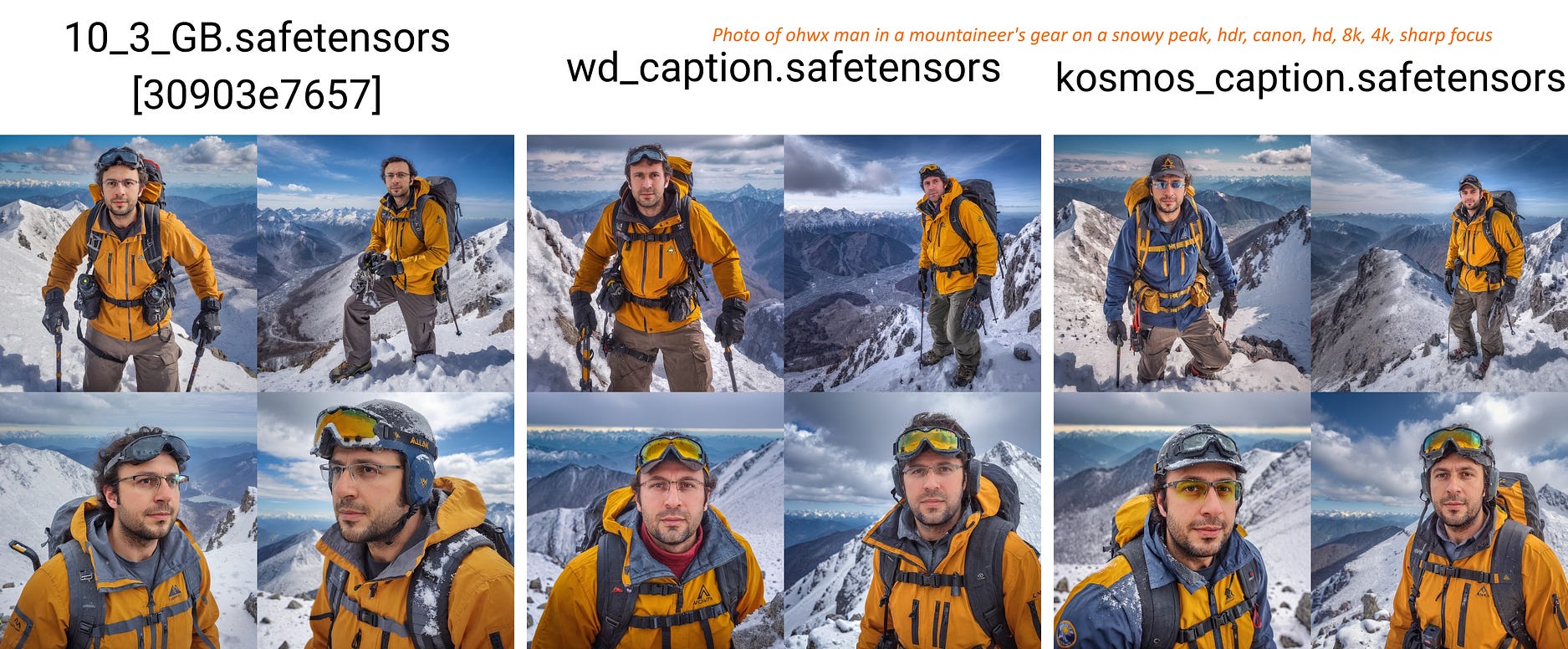
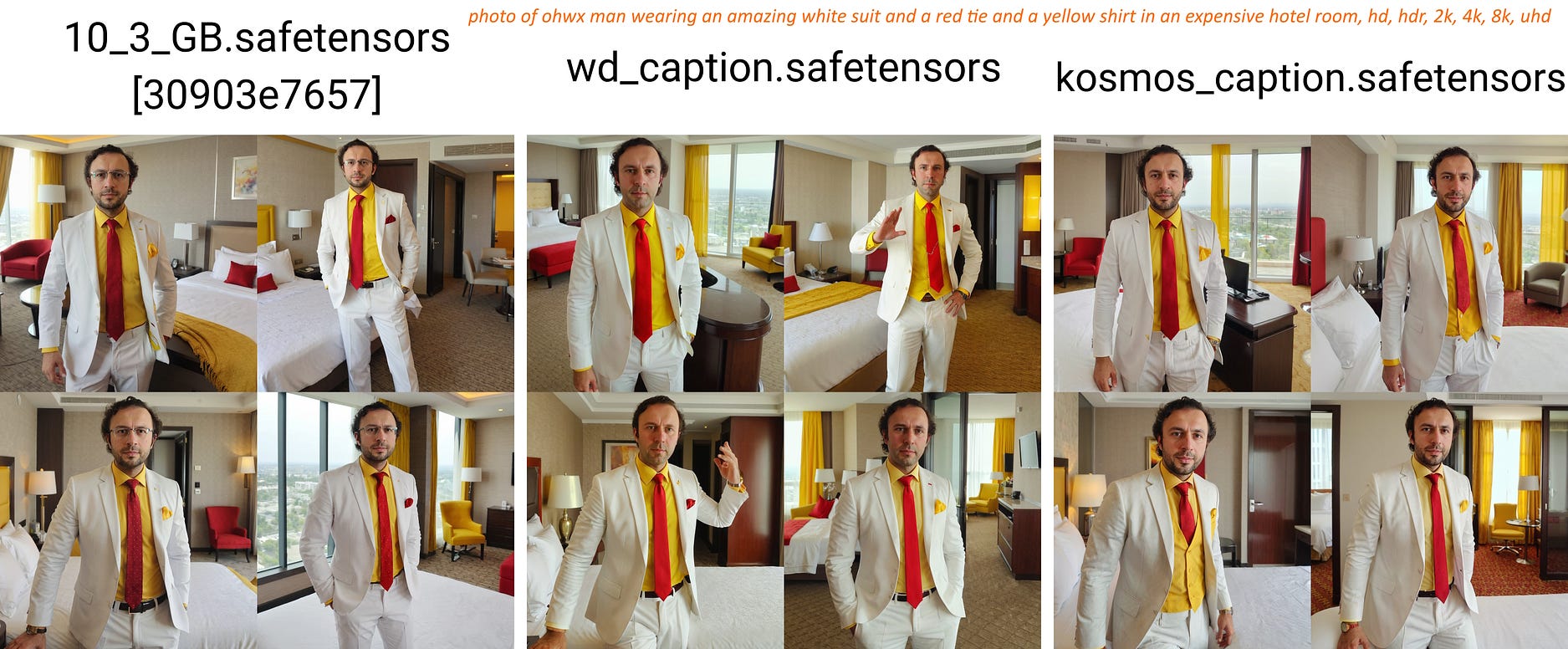
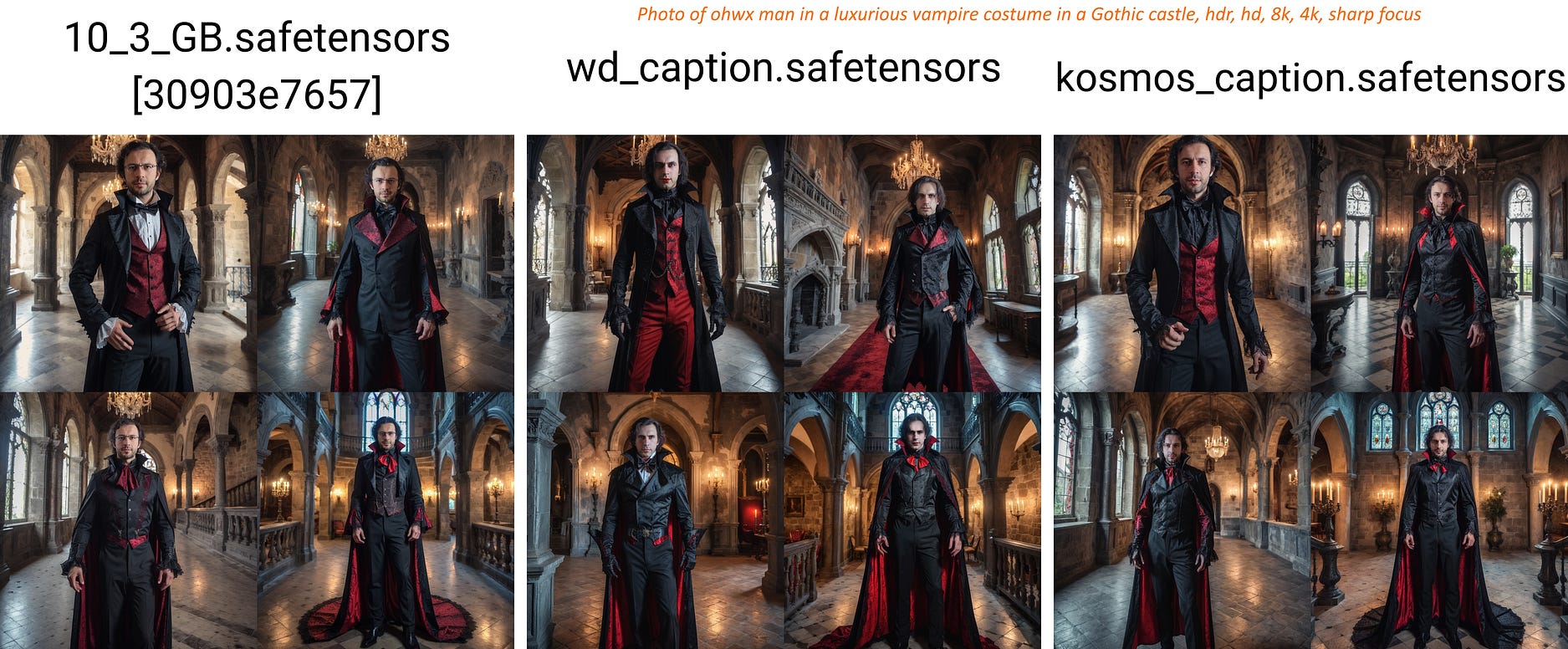
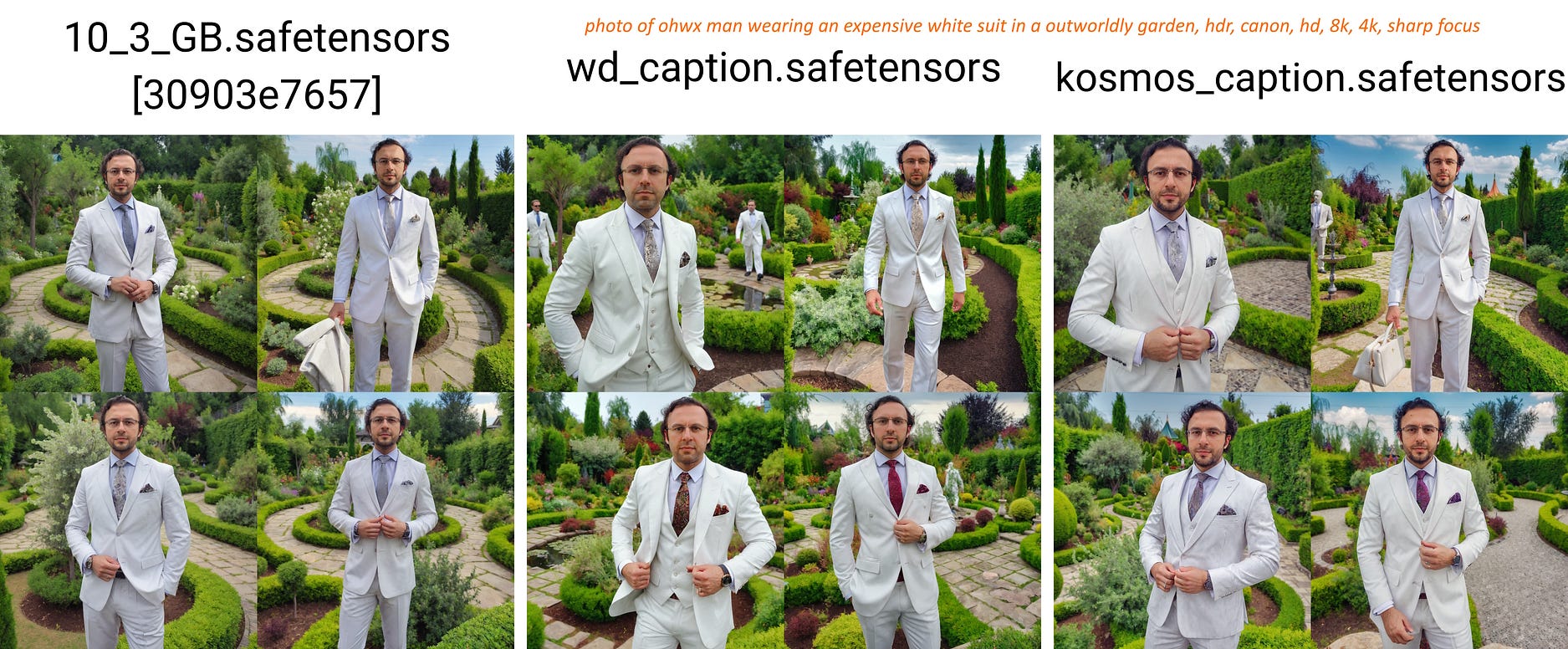
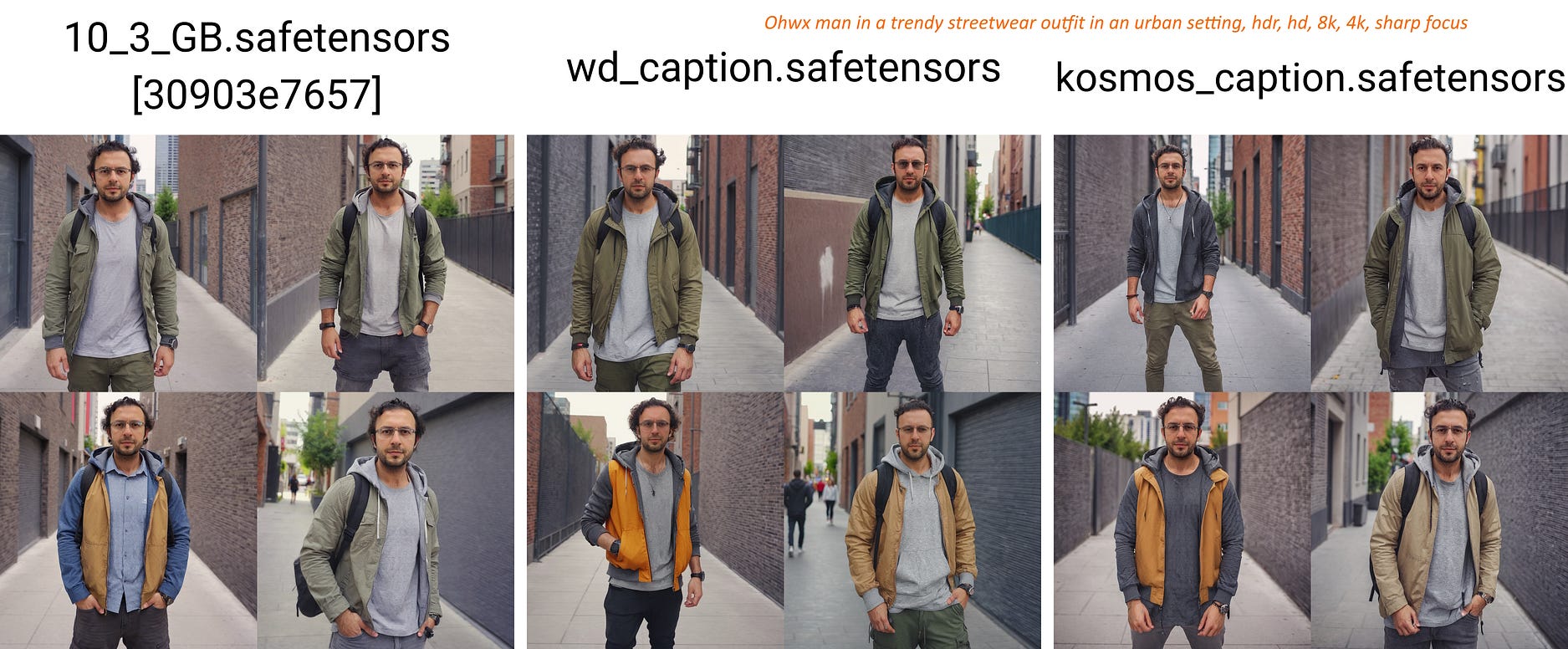
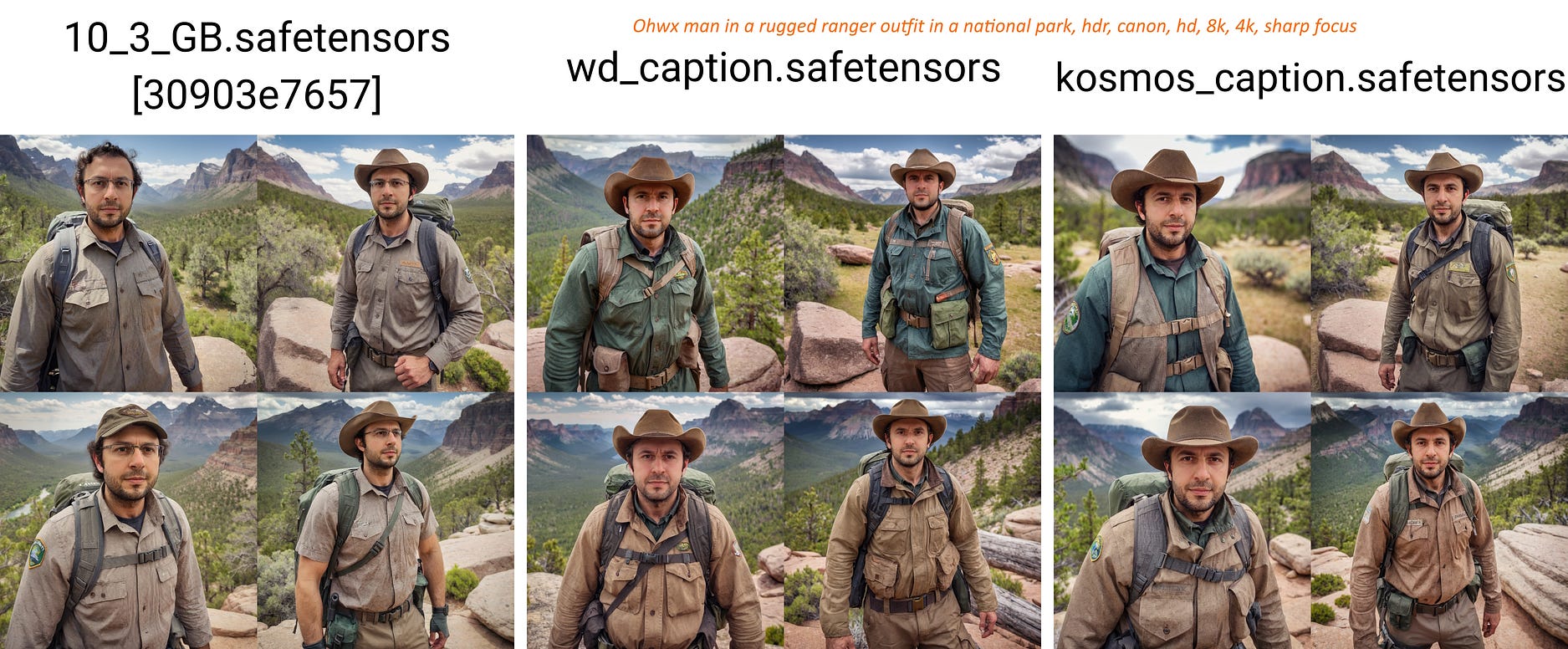
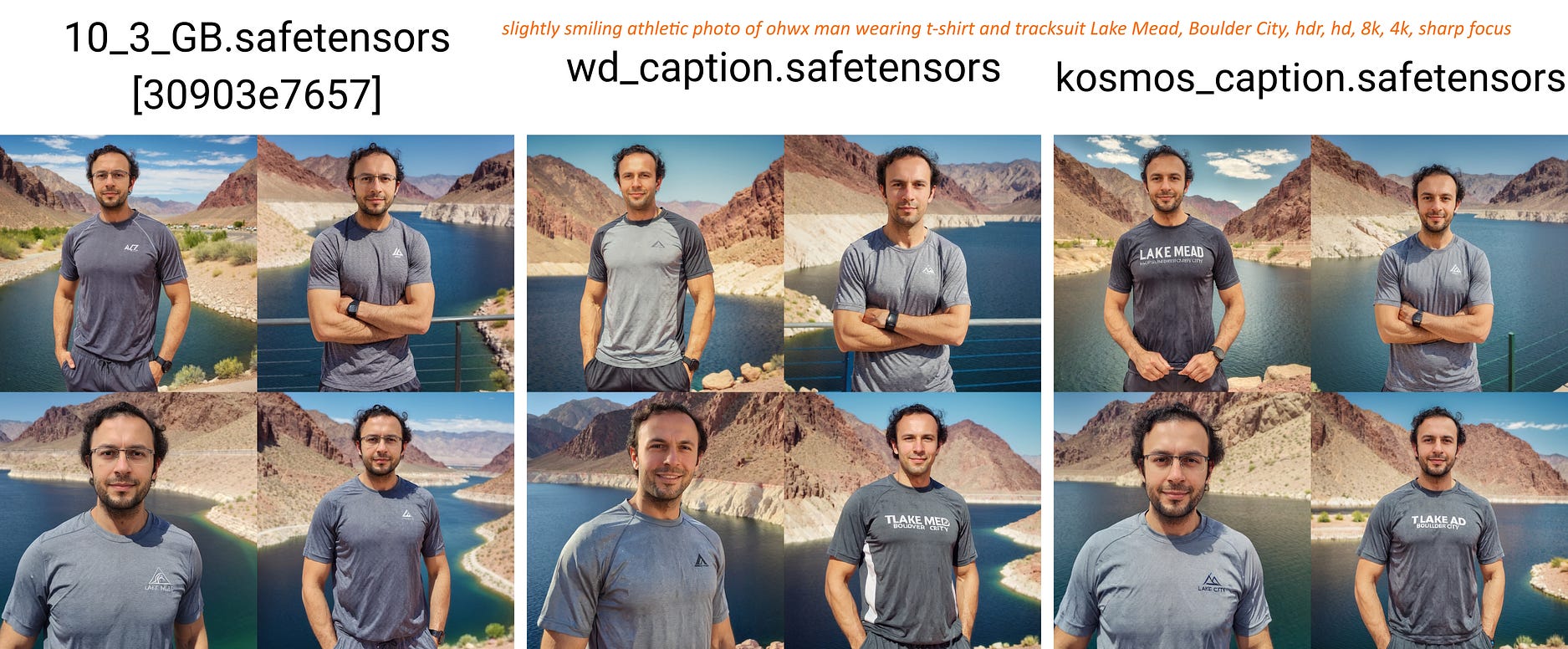
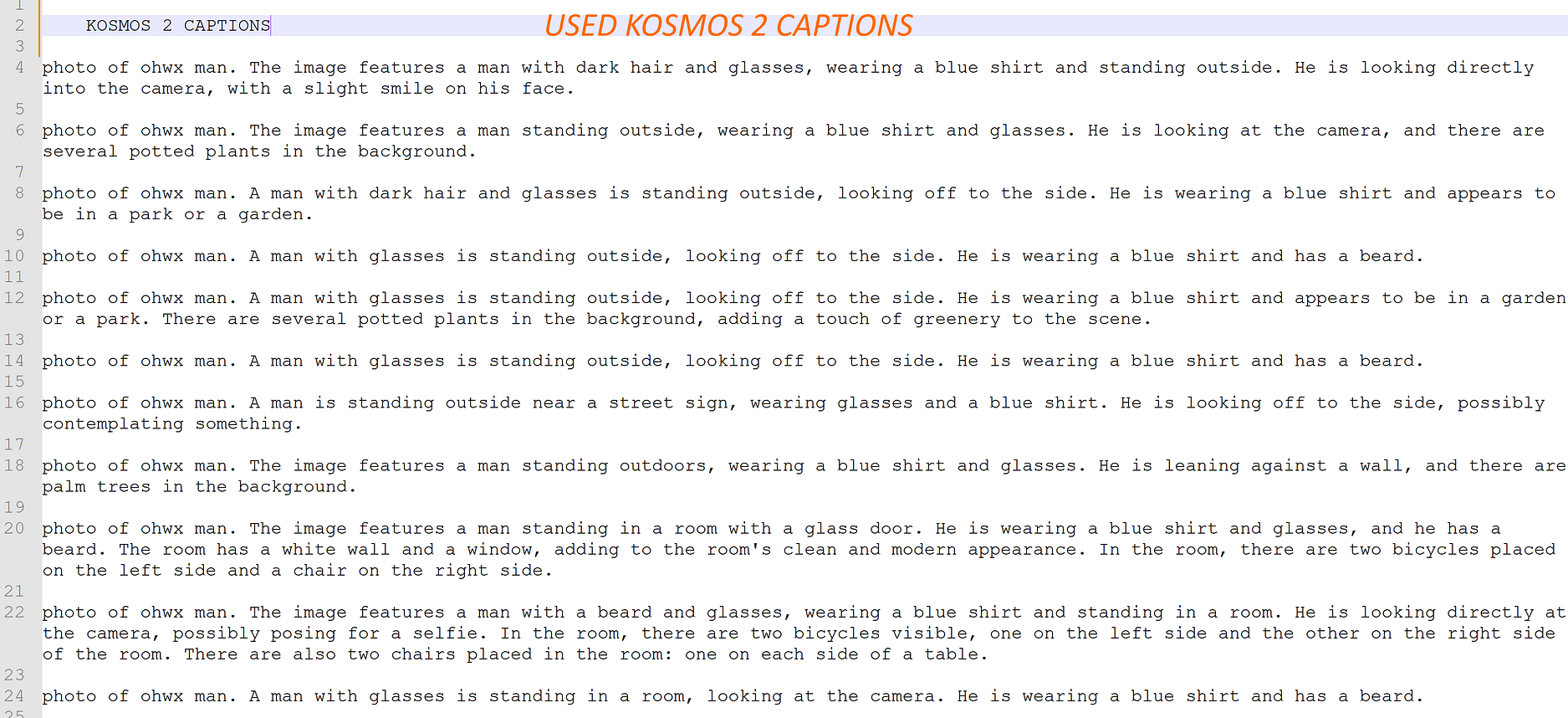
Check all the images below to see used training dataset and used captionings.
All trainings are done on OneTrainer Windows 10 with newest 10.3 GB Configuration : https://www.patreon.com/posts/96028218
A quick tutorial for how to use concepts in OneTrainer : https://youtu.be/yPOadldf6bI
The training dataset is deliberately a bad dataset. Because people can’t even collect this quality. So I do my tests on a bad dataset to find good settings for general public. Therefore, if you improve dataset quality with adding more different background and clothing images, you will get better quality.
Used SG161222/RealVisXL_V4.0 as a base model and OneTrainer to train on Windows 10 : https://github.com/Nerogar/OneTrainer
The posted example x/y/z checkpoint comparison images are not cherry picked. So I can get perfect images with multiple tries.
Trained 150 epochs, 15 images and used my ground truth 5200 regularization images : https://www.patreon.com/posts/massive-4k-woman-87700469
In each epoch only 15 of regularization images used to make DreamBooth training affect
As a caption for 10_3_GB config “ohwx man” is used, for regularization images just “man”
For WD_caption I have used Kohya GUI WD14 captioning and appended prefix of ohwx,man,
For WD_caption and kosmos_caption regularization images concept, just “man” used
For Kosmos-2 batch captioning I have used our SOTA script collection. Kosmos-2 uses as low as 2GB VRAM with 4-bit. You can download and 1 click install it here : https://www.patreon.com/posts/sota-image-for-2-90744385
After Kosmo-2 batch captioning I added prefix photo of ohwx man, to the all captions via Kohya GUI
SOTA Image Captioning Scripts For Stable Diffusion: CogVLM, LLaVA, BLIP-2, Clip-Interrogator (115 Clip Vision Models + 5 Caption Models) : https://www.patreon.com/posts/sota-image-for-2-90744385
You can download configs and full instructions of this OneTrainer training configuration here : https://www.patreon.com/posts/96028218
We have slower and faster configuration. Both of them are same quality and slower configuration uses 10.3 GB VRAM.
Hopefully full public tutorial coming within 2 weeks. I will show all configuration as well
The tutorial will be on our channel : https://www.youtube.com/SECourses
Training speeds are as below thus durations:
RTX 3060 — slow preset : 3.72 second / it thus 15 train images 150 epoch 2 (reg images concept) : 4500 steps = 4500 3.72 / 3600 = 4.6 hours
RTX 3090 TI — slow preset : 1.58 second / it thus : 4500 * 1.58 / 3600 = 2 hours
RTX 3090 TI — fast preset : 1.45 second / it thus : 4500 * 1.45 / 3600 = 1.8 hours
CONCLUSION
Captioning reduces likeliness and brings almost no benefit when training a person with such medium quality dataset. However, if you train an object or a style, captioning can be very beneficial. So it depends on your purpose.