← All articles
Published January 3, 2024by SECourses
How To Change Default Python On A Linux Machine
91 views2 reactions1 comments on CivitAI0 collected
resource guide
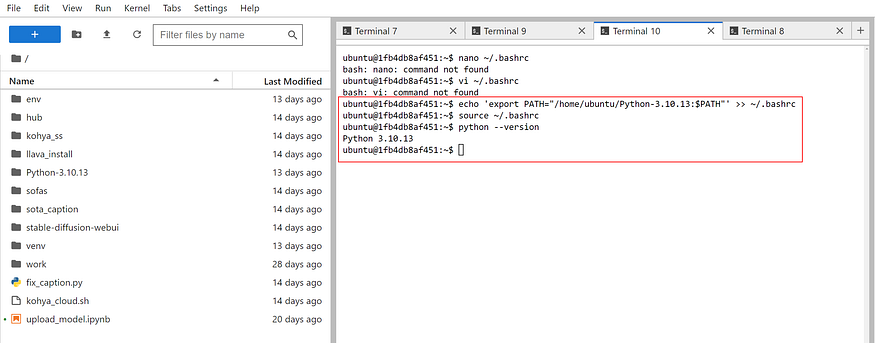
Let's say you have installed Python into the following folder
/home/ubuntu/Python-3.10.13To set it default python version open a terminal
Execute the following commands
echo 'export PATH="/home/ubuntu/Python-3.10.13:$PATH"' >> ~/.bashrcsource ~/.bashrcThen with the following command you should see 3.10.13 as default
python --versionThis above will make it only temporarily for that terminal session
Execute below ones for permanent on all terminals
echo 'export PATH=/home/ubuntu/Python-3.10.13:$PATH' >> ~/.bash_profile
echo 'export PATH=/home/ubuntu/Python-3.10.13:$PATH' >> ~/.profile
echo 'export PATH=/home/ubuntu/Python-3.10.13:$PATH' | sudo tee -a /etc/environment
echo 'export PATH=/home/ubuntu/Python-3.10.13:$PATH' | sudo tee -a /etc/profile.d/custom.sh